WordPress vs Wix: The Short Version
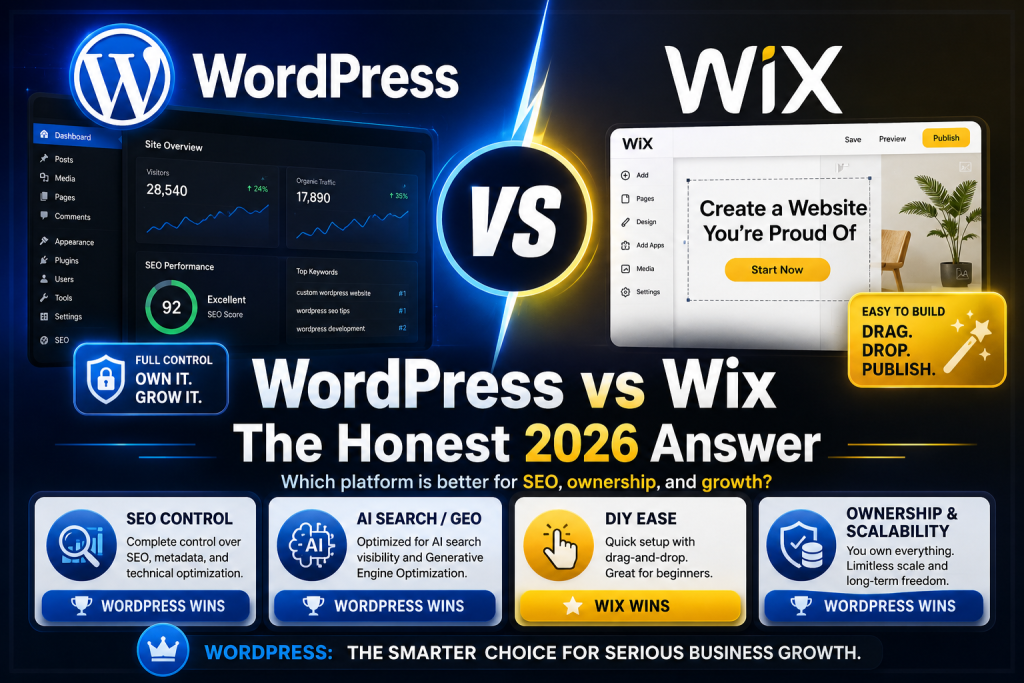
For a business website that needs to rank in Google and get cited in AI search, WordPress wins on SEO control, ownership, and long-term cost. Wix wins on day-one ease for a simple site you’ll build yourself and rarely touch. Full disclosure: we’re a WordPress agency that regularly migrates businesses off Wix — read the evidence below and judge it yourself, including the section on when Wix is genuinely the right choice.
WordPress vs Wix at a Glance
| Factor | WordPress | Wix |
|---|---|---|
| SEO control | Full — schema, URLs, server, code | Good basics, hard ceiling on advanced work |
| AI search (GEO) | Full schema + content-structure control | Limited custom structured data |
| Ease of use | Steeper curve (or hire it out) | Easiest drag-and-drop on the market |
| Speed | Depends entirely on the build (see below) | Consistent, managed by platform |
| Ownership | You own site, code, and data | You rent — no full-site export exists |
| Scalability | Unlimited (43% of the web runs on it) | Fine until you need what the platform doesn’t offer |
| 5-year cost | Lower for business sites (math below) | Lower for hobby sites, rises with plans + apps |
| Best for | Businesses competing for search traffic and leads | Simple DIY sites, portfolios, side projects |
SEO: WordPress Gives You the Whole Toolbox
WordPress wins the SEO comparison because it removes the ceiling. On WordPress — which powers roughly 43% of all websites, versus under 4% for Wix — you control everything Google grades: custom schema on any template, URL architecture, server-level performance, plugin-level functionality, and direct code access when something needs fixing.
To be fair to Wix: its built-in SEO has improved a lot. Titles, metas, redirects, basic structured data — the fundamentals are covered, and a Wix site can absolutely rank for low-competition local terms. The problem is the ceiling. The advanced work that wins competitive keywords — custom schema types, precise internal-link architecture, server tuning, template-level changes — ranges from awkward to impossible on Wix. We’ve audited Wix sites for businesses doing everything right in the dashboard and still losing to WordPress competitors with full-control SEO. They weren’t out-worked. They were out-tooled.
The 2026 Factor Nobody Compares: AI Search Visibility
Every WordPress-vs-Wix comparison you’ll read was written for the blue-links era. In 2026, your customers also ask ChatGPT, Perplexity, and Google’s AI Overviews — and getting cited there depends on exactly the things platform builders restrict: granular structured data, answer-first content templates, and clean semantic HTML that generative engines can parse and quote.
💡 Why this favors WordPress
Generative Engine Optimization (GEO) work — custom FAQ and service schema, entity markup, citation-ready content blocks — requires template-level control. On WordPress it’s a normal Tuesday. On Wix you’re limited to what the platform exposes. If AI visibility is part of your growth plan, this gap alone settles the choice.
Speed: The Honest Answer Most Comparisons Won’t Give You
Here’s the part WordPress fans skip: in HTTP Archive’s platform-level Core Web Vitals data, Wix sites pass at high rates — often above the average WordPress site. That’s real, and it’s because Wix controls the whole stack while the average WordPress site is a bloated theme with 40 plugins on $5 hosting.
But “average WordPress” isn’t what you’re choosing between. A custom-built WordPress site on managed hosting — lean theme, WP Rocket caching, Cloudflare, tuned images — outperforms both averages, and you keep the headroom to fix anything that regresses. Wix’s speed is good and fixed; WordPress’s speed is whatever your build earns. Choose Wix and you get the platform’s number. Choose a properly built WordPress site and you get a better one.
Ownership: What We See When Businesses Leave Wix
This is where our migration experience matters more than any feature checklist. On WordPress, you own the site — files, database, code — and can move it to any host on earth. On Wix, you’re renting space in their building, and the lease terms only become visible when you try to leave:
- No full-site export. There is no button that hands you your Wix site. Pages get rebuilt, content gets manually moved, media gets re-downloaded.
- App data lock-in. Bookings, store orders, member areas — data living in Wix apps doesn’t transfer cleanly, if at all.
- URL structures change. Wix’s generated URLs (like /post/ blog paths) differ from standard structures, so every migration needs a full redirect map or rankings die in transit. This is the step DIY migrations botch most.
- Design doesn’t travel. The visual build is Wix-proprietary. You’re not moving a site; you’re rebuilding one.
None of this means leaving is impossible — we do these migrations routinely, rankings intact. It means the “free and easy” platform has a five-figure exit cost that never appears in the pricing table.
What Each Really Costs Over 5 Years
Typical business-site math — Wix on a business-tier plan with a few paid apps, versus a professionally built WordPress site with managed care:
The totals land closer than either camp admits. The difference is what you hold at year five: a portable, rankable asset — or a subscription. And if upfront cost is the blocker, our pay-monthly WaaS plan delivers custom WordPress with Wix-style monthly economics and zero build fee.
When Wix Is Genuinely the Right Choice
✅ Pick Wix if all of these are true
You’re building it yourself with no budget for help; the site is a brochure, portfolio, or side project; you don’t depend on Google rankings or AI citations for customers; and you’re comfortable renting. In that scenario Wix is the better tool, full stop — a DIY Wix site beats a neglected WordPress install every time. Where Wix stops making sense is the moment search traffic becomes revenue.
The decision framework in one line: if your website is a business card, Wix is fine; if your website is a salesperson, build it on WordPress.
WordPress vs Wix FAQ
Is WordPress or Wix better for SEO?
WordPress is better for SEO because it offers full control over schema markup, URL structure, server performance, and code. Wix covers the fundamentals well and can rank for low-competition terms, but it caps the advanced technical work that competitive keywords and AI-search citations require.
Is Wix really easier than WordPress?
For a total beginner building alone, yes — Wix’s drag-and-drop editor is the easiest on the market. The comparison changes when professionals are involved: an agency-built WordPress site with managed maintenance requires zero technical effort from the owner.
Can I move my Wix site to WordPress without losing rankings?
Yes, if the migration maps every existing URL to a 301 redirect, rebuilds the content with matching titles, and verifies indexing afterward. There’s no automatic export from Wix, so it’s manual work — but done properly, rankings carry over and usually improve once full SEO control is available.
Is Wix or WordPress cheaper?
For a simple DIY site, Wix is cheaper. For a business site over a 5-year horizon, total costs converge — roughly $5,700+ on Wix with apps and design help versus a WordPress build plus ~$99/mo care — but WordPress leaves you owning a portable asset while Wix leaves you with a subscription.
Which is better for AI search like ChatGPT and AI Overviews?
WordPress, decisively. Getting cited by AI engines depends on custom structured data, answer-first content templates, and clean semantic HTML — all of which require the template-level control WordPress provides and platform builders restrict.
Stuck on Wix and Outgrowing It?
We’ll audit your site free and tell you honestly whether migrating is worth it — including the full redirect map it would take to keep your rankings.
📞 Or call us directly: (888) 863-7421 | 6815 E Camelback Rd, Scottsdale, AZ 85251